Linux Desktop Environments: GNOME, KDE, XFCE, MATE and More

Initially, Linux was a simple shell in the Unix standard, and it was like that for a long time. It was something made by programmers for programmers, so a friendly and beautiful Linux interface was not an important requirement.
But 5 years ago this narrative gave way to a robust operating system, with a variety of graphical environments and first-class applications.
The result is a complete Desktop experience, with everything an inexperienced user needs at hand to work, communicate and have fun.
Without a doubt, one of the beauties of Linux is its plurality of graphical environments for all tastes.
There are countless distributions and yet it manages to maintain full compliance as a standard operating system.
But what are the main ones? And what are the differentials and advantages of each one? You will find these answers in today's article!
The Certificação Linux team developed this complete content, with everything you need to know about the Linux interface. Keep reading!
Linux interface: understand what it is
The Linux interface is nothing more than the graphical interface or GUI (Graphical User Interface) of this operating system.
As such, it allows you, the user, to interact with the system and send specific commands. It offers several functionalities and information management options.
In practical terms, it is through the Linux Graphical Interface that you can access software, navigate through files, manage windows and use the system as you see fit.

How to install a graphical interface on Linux?
Installing a graphical interface on Linux is not an impossible mission. In fact, it can be simpler than it seems.
Just select the one that catches your attention the most. Among them, we can mention the KDE, GNOME, XFCE and Cinnamon environments, for example.
The interesting thing is that the step-by-step installation is practically the same for all of them:
- configure your root server password;
- access the panel and type: "sudo apt-get update";
- type ellipsis (3 dots: …);
- and done! Just wait a few moments for the interface to be installed and you can use it.
Understand the importance of the Linux interface
The Linux interface is essential for any user to be able to handle and be served by the operating system.
Without it, you would probably have to learn several encoded commands, in specific programming languages, to access all available resources. Can you imagine how much work that would be?
If you wanted to access a photo folder, for example, instead of just clicking on the icon and opening the files, you would have to type numerous lines of code to make this possible.
That's why, over time, several graphical environments have been built to work on the Linux window server.
After all, more and more "lay" users, that is, without advanced knowledge in programming or development, can use the system in a simple way.
This brought an incomparable advance, giving people the possibility to enjoy Linux even without working in the technology field or being graduated in the industry.
Linux interface: get to know the main ones
The main Linux interfaces became popular due to their simplicity, richness of features and usability.
Each one has its own characteristics and you can choose the one that best meets your needs and expectations. To get to know them, check out the topics below:
KDE
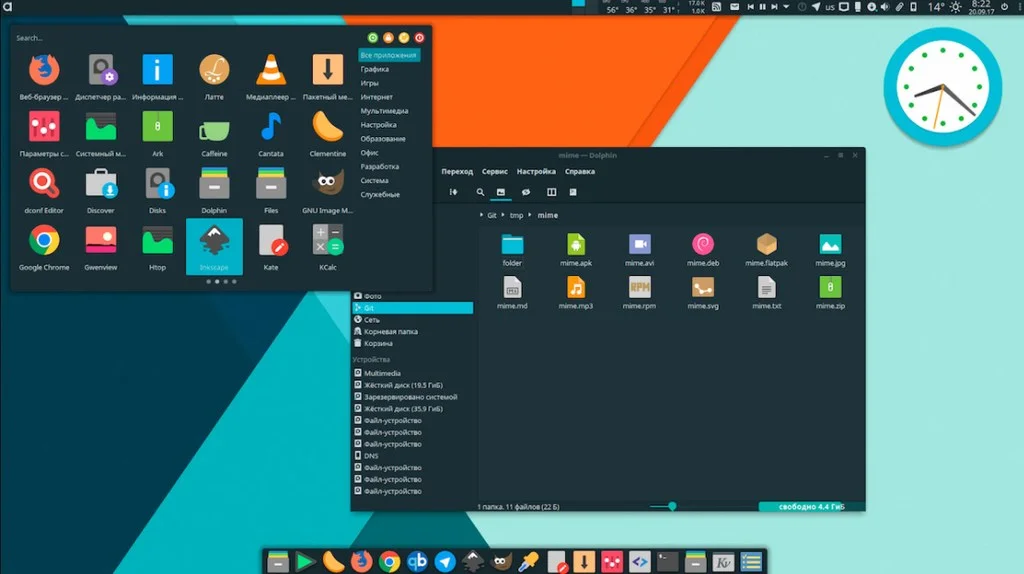
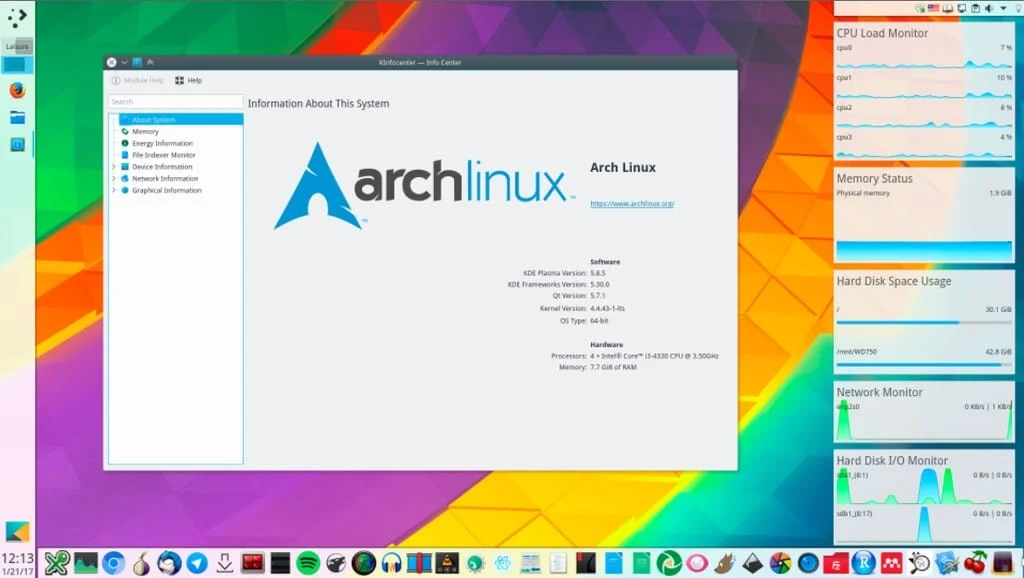
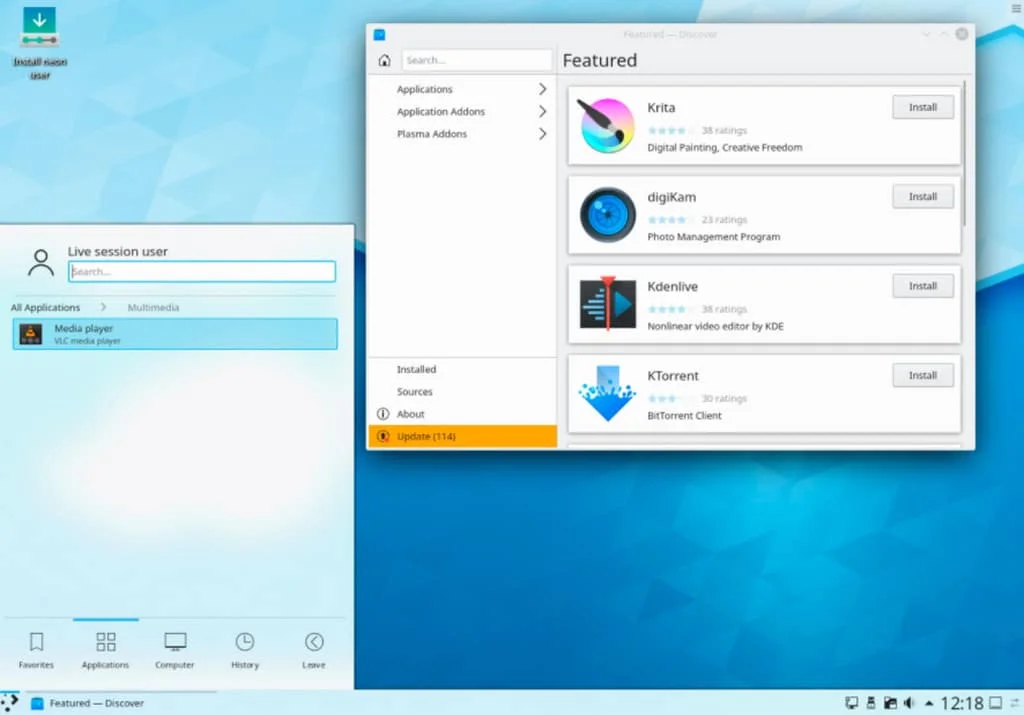
KDE is a large community of developers since 1996 that develop a cross-platform graphical environment known as KDE Plasma. Its name comes from K Desktop Environment, and the letter "K" was chosen simply because it comes after "L" from Linux. KDE and its applications are written with the Qt framework.
The goal of the KDE community is both to provide an environment that offers the basic applications and functionalities for daily needs and to allow developers to have all the necessary tools and documentation to simplify application development for the platform.
KDE is based on the principle of ease of use and customization. All elements of the graphical environment can be customized: panels, window buttons, menus and various elements like clocks, calculators and widgets.
The extreme flexibility for customizing the appearance even allows themes to be shared among users.
The KWin window manager is responsible for providing an organized and consistent graphical interface, and intuitive taskbar.
GNOME
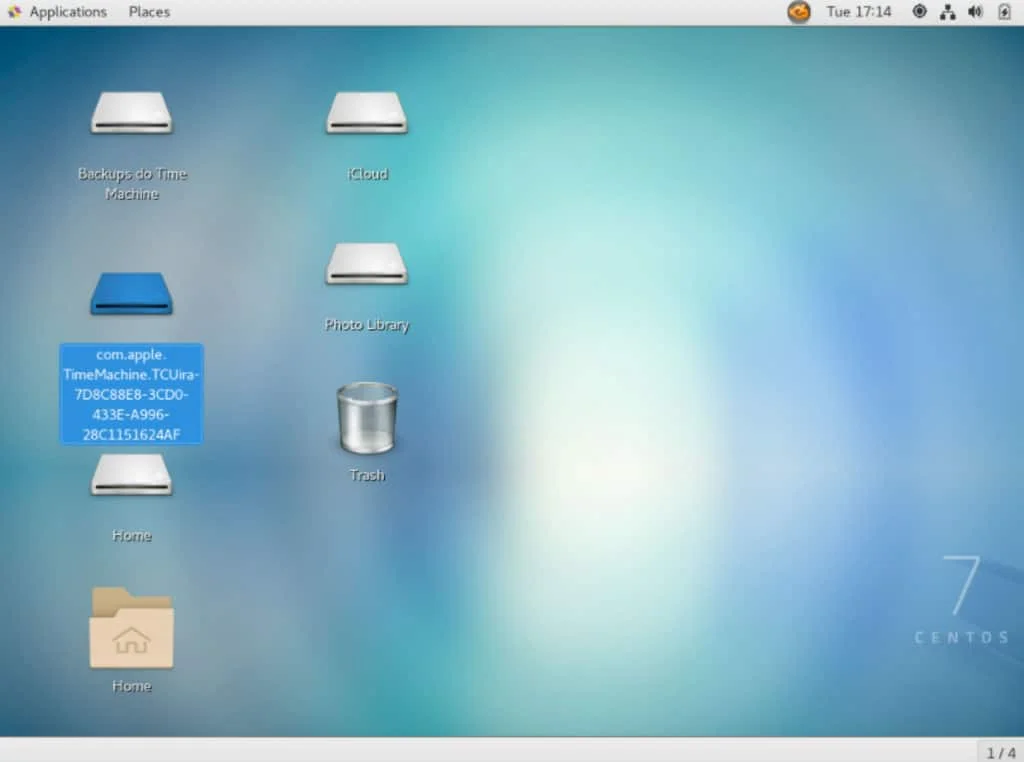
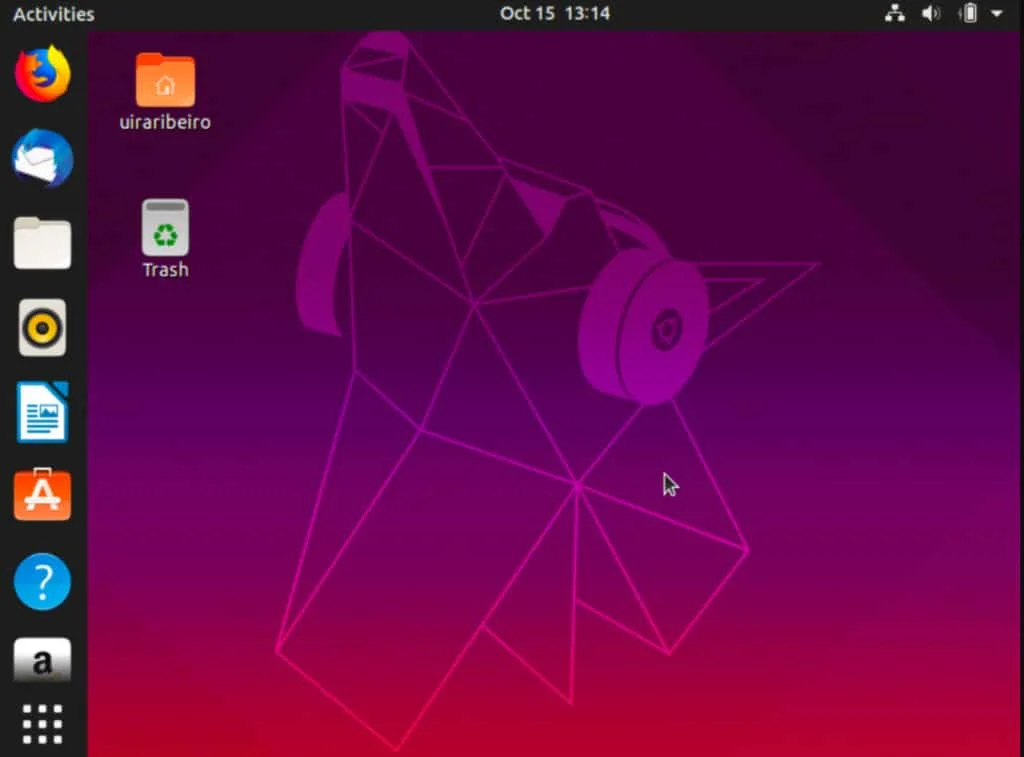
GNOME (acronym for GNU Network Object Model Environment) is a free software project for a graphical environment also cross-platform with special emphasis on usability, accessibility and internationalization.
The GNOME Project is maintained by several organizations and developers and is part of the GNU Project. Its main contributor and maintainer is Red Hat.
GNOME 3 is the default graphical environment of major distributions such as Fedora, SUSE Linux, Debian, Ubuntu, Red Hat Enterprise, CentOS, and many others.
There is also a fork of GNOME 2 known as MATE, since the change from the GNOME 2 environment to GNOME 3 was significant, and some users simply preferred to stick with an environment more similar to GNOME 2.
Created by two Mexicans in 1997, who were unhappy at the time with the lack of free software for the Qt Framework, used for developing applications for KDE.
Thus, they preferred to use GTK (GIMP Tool Kit) as the standard framework for developing GNOME, since it was already licensed under the GPL.
GNOME 1 and 2 followed the traditional desktop with a "taskbar".
GNOME 3 changed this with GNOME Shell, with an abstract environment where switching between different tasks and virtual desktops occurs in a separate area called "Overview".
Mate
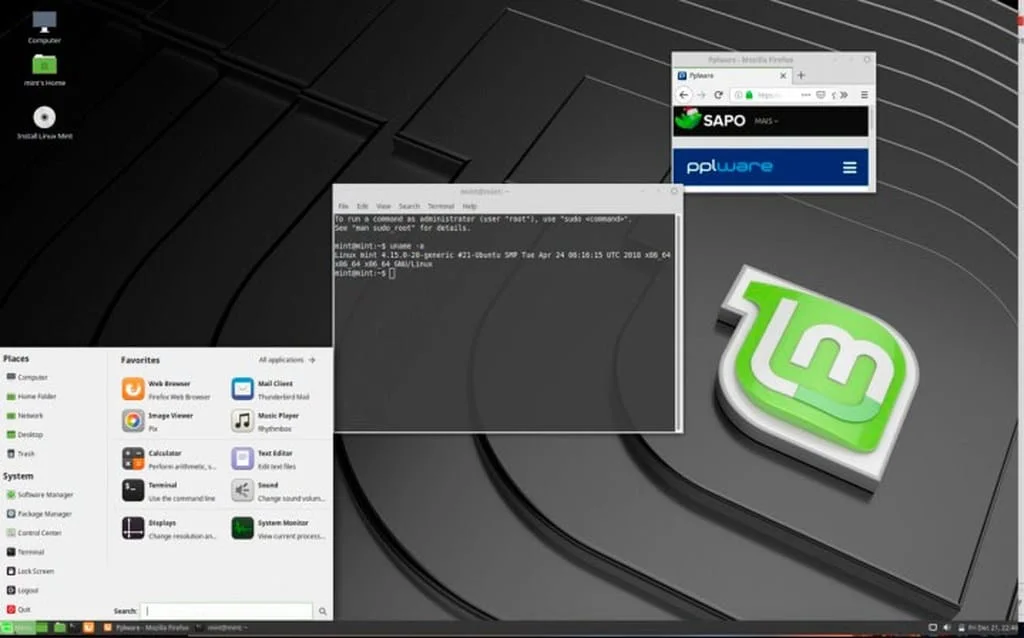
Despite being rarely discussed and publicized, the MATE interface is also an excellent choice for your system.
It also boils down to a complete desktop environment, promising agility and lightness, without demanding much hardware consumption or specifications.
According to the official MATE website itself, "it is in active development to add support for new technologies, while preserving a traditional desktop experience".
Even though it is based on GNOME 2, functioning as a continuation of it, this interface is very different and has constant updates from the development teams.
Xfce
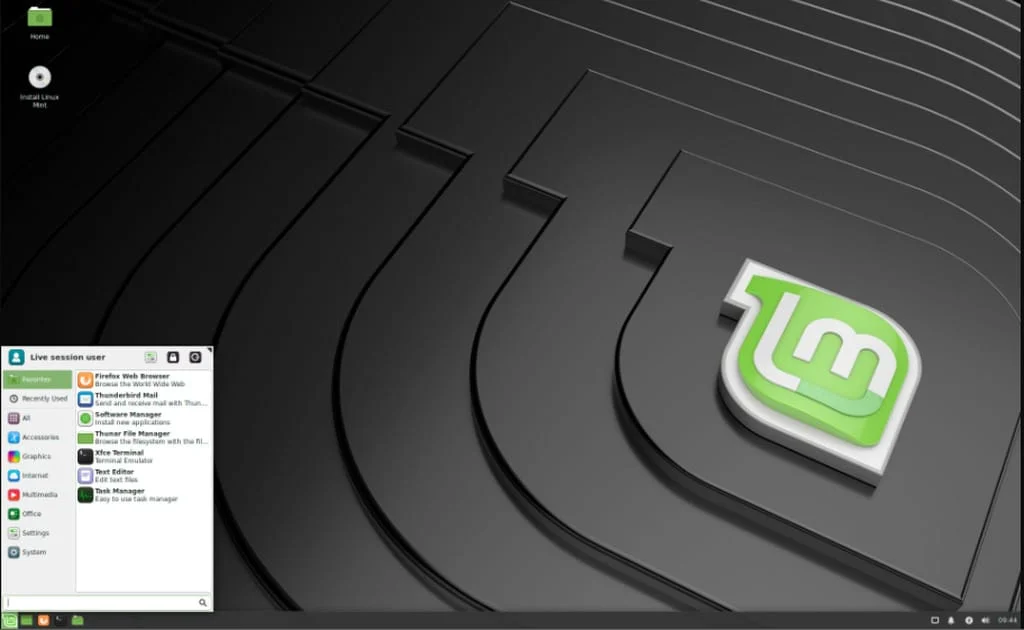
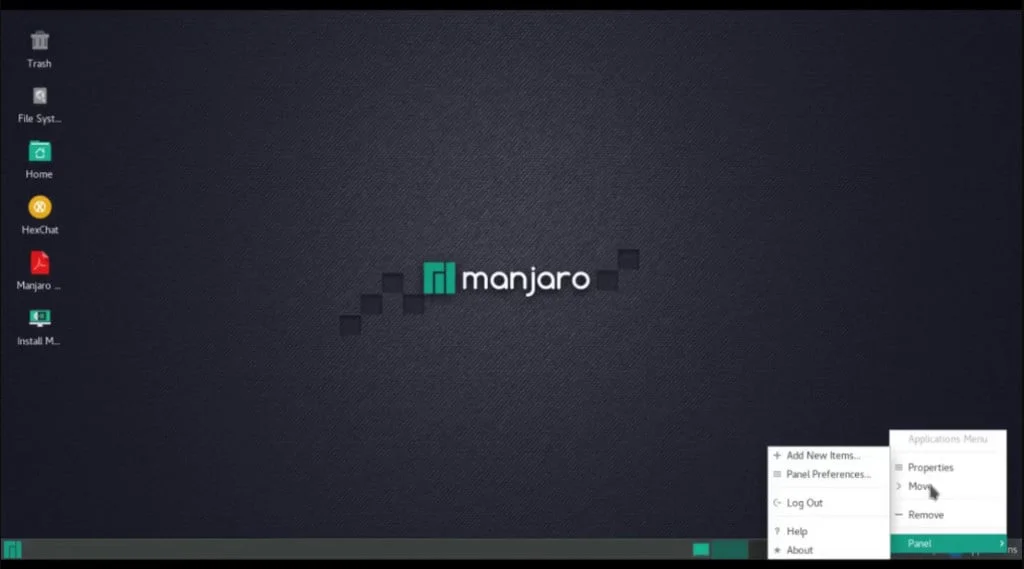
Xfce is a Desktop environment for Unix-like operating systems, such as Linux and BSD, founded in 1996.
Xfce aims to be lightweight, fast, and visually appealing. It embodies the Unix philosophy of modularity and reuse and consists of separate packaged parts that, together, provide all the functions of the desktop environment, but can be selected in subsets to meet the user's needs and preferences.
Like GNOME, Xfce is based on the GTK framework, but it is a totally different project.
It is widely used in distributions that intend to be lightweight, especially designed to run on old hardware.
Xfce can be installed on various UNIX platforms, such as NetBSD, FreeBSD, OpenBSD, Solaris, Cygwin, macOS X, etc.
Among the distributions that use Xfce, we can mention:
- Linux Mint Xfce edition
- Xubuntu
- Manjaro
- Arch Linux
- Linux Lite
Cinnamon
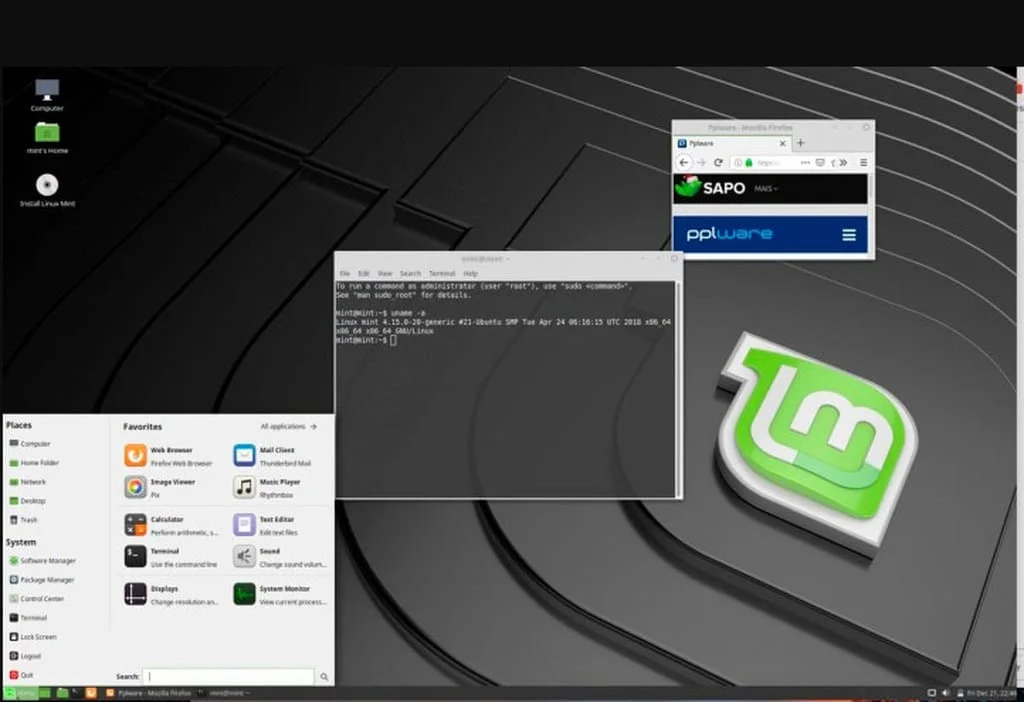
Cinnamon is a graphical desktop project derived from GNOME 2, created by the Linux Mint team.
Its user experience is very similar to Windows XP, 2000, Vista, and 7, facilitating the learning curve for users who have migrated from these operating systems.
Learn much more about Linux in our online course. You can enroll here. If you already have an account, or want to create one, just log in or create your user here.
Unity
The history of Unity is somewhat unusual: it was initially developed for laptops, aiming for maximum use of screen space (always smaller compared to desktop computers).
Also, it didn't come with any applications or tools — it only ran GTK+ programs, which already existed.
Despite this, its success was so great that it was later further developed and adapted for desktops.
And it really delivers what it promises: screen space optimization is real! The toolbars are almost imperceptible on large screens. On small screens, space is maximized, making navigation easier.
All these options only reinforce the cost-benefit ratio of the Linux system, which keeps growing around the world.
If you want to dive deeper into the system and discover everything it can do for you (and for your career, if you are an IT professional), you need to check out our courses!
We have a fully robust platform, with high-level materials, developed in a didactic and applicable way by the Linux expert Uirá Ribeiro.
There are already over 14 thousand students in the community, acquiring knowledge capable of making their careers take off. Do like them!
Conclusion

Did you notice how interesting and practical the Linux Interface is? Understanding how they work can be very useful!
In this article, you understood how important it is for facilitating Linux system usability and what are the most used ones on the market. You also saw how to install a Linux interface and how they work in practice.
If you enjoy studying about the Linux system, learning how its features and tools make your daily routine easier, don't hesitate to seek more in-depth knowledge.
Right here, at Linux Certification, you can invest in complete courses, capable of teaching you from scratch to advanced on important topics. Check it out right now!

Prof. Uirá Ribeiro
Chair do Board do Linux Professional Institute
After years of watching professionals waste hours on simple tasks because they didn't know the right Linux tools, I decided to teach.
Today I'm the author of most of LPI's official Learning Materials and mentor to over 14,000 certified students.
That was just one piece. The course teaches the whole path — from your first command to exam day.

