Top 5 Linux Distributions for Beginners

Deepin
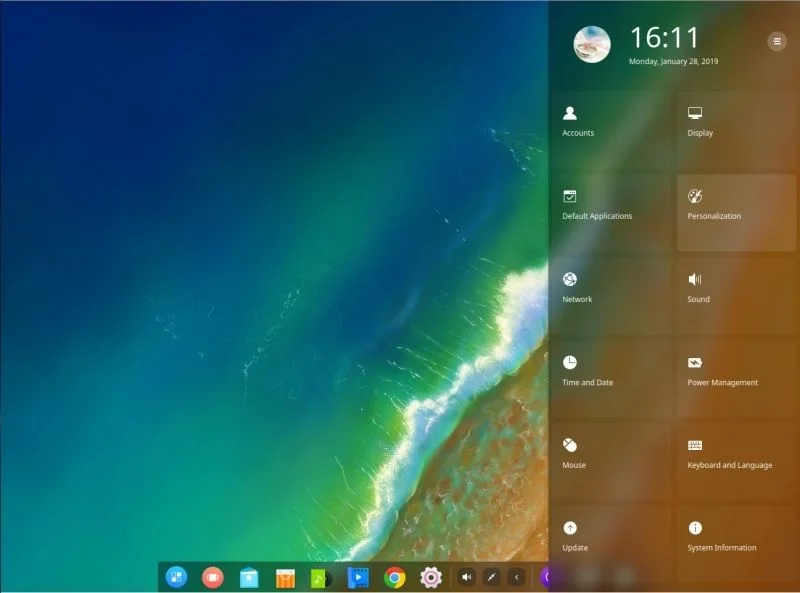
Deepin is the Linux I chose for my 11-year-old son's Desktop. The advantages include:
- Graphical interface simple desktop interface;
- Layout similar to Android
- Very complete and easy-to-use App Store;
- Easy-to-use control panel;
- Installation is also simple
Ubuntu
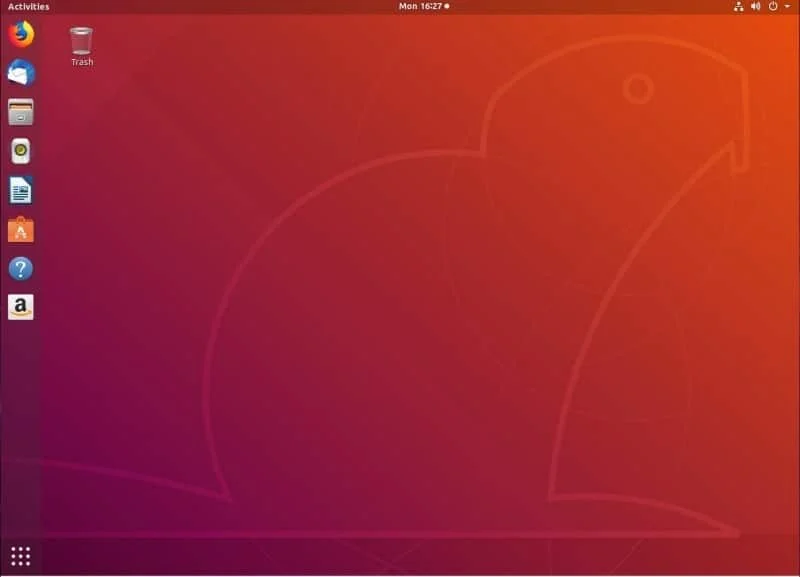
Personally, I've never liked Ubuntu. But that's my opinion as an advanced user, simply because it doesn't follow the Linux Standard very closely.
Some configuration files are not where they should be, or even their contents differ from what was agreed upon.
But that doesn't mean it's not good for new users. In fact, it's good for new users and that's exactly why it's very common on new user machines.
The advantages include:
- Linux knowledge is simply not necessary to work in the graphical environment;
- Adopts GNOME as the interface;
- Simplicity;
- Requires hardware with memory and runs better on SSD drives;
- Also has its Software Store, with many apps that can be installed without difficulty;
Elementary OS
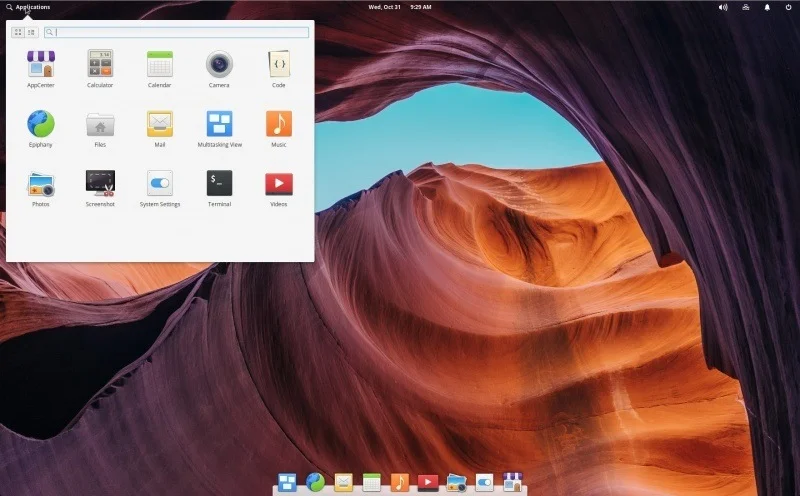
This system is for those who use Mac or like the Apple system, like me - and before you say I don't use Linux, Mac OS is a Unix like.
The advantages include:
- Looks like Mac;
- Resembles Linux very little :-D
- Simple applications menu;
- Also has a very complete App Store;
- Very lightweight, runs on machines with more humble hardware;
- It's based on Ubuntu, but only with the essentials.
Mint
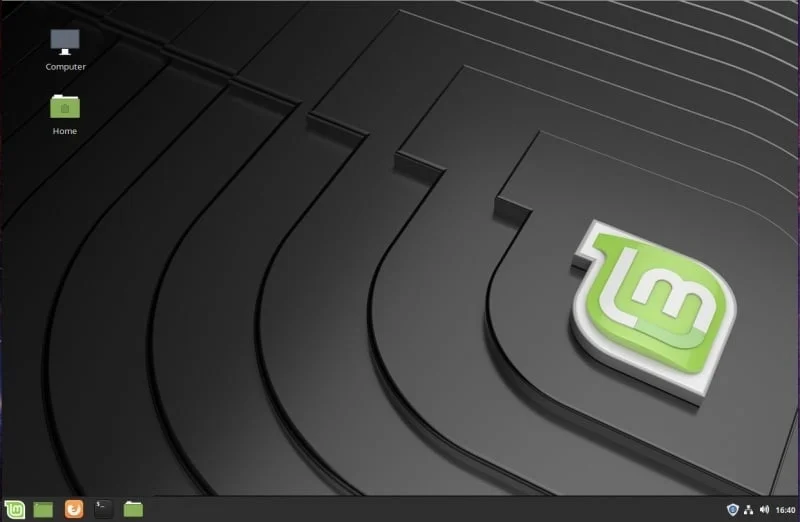
It's a very lightweight distribution, that runs on old hardware just fine. It runs on my dad's office secretary's Pentium II computer like a rocket. For someone who only uses Google Calendar, it's great.
Its interface called Cinnamon is perfectly familiar to almost everyone who uses it. With a taskbar, Start button, system tray, and desktop icons. It resembles Windows a lot.
- Interface that requires zero learning curve for those coming from Windows 7.
- Based on Ubuntu;
OpenSuse
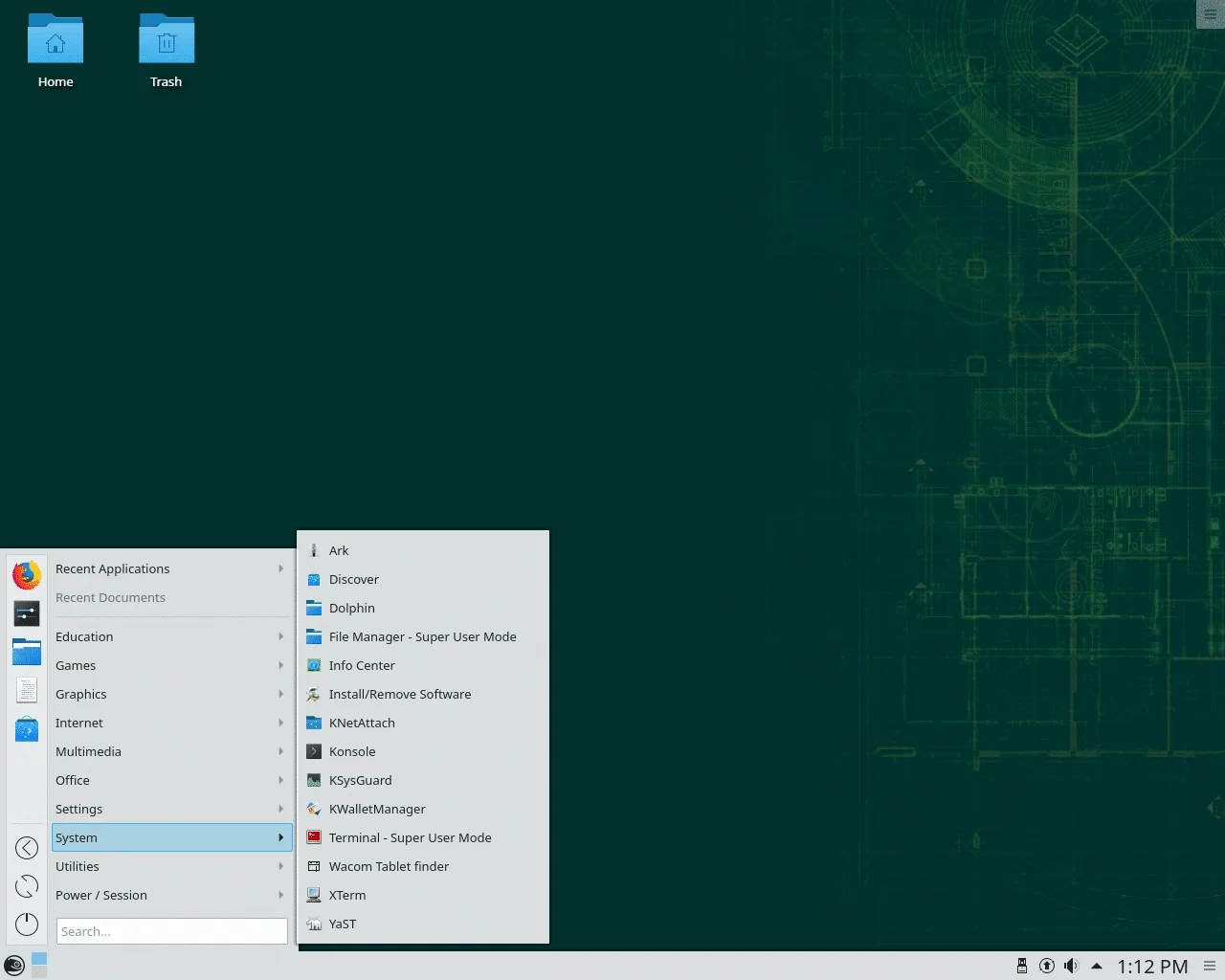
I've been a die-hard OpenSUSE fan since 1999. It's a fantastic Red Hat-based distribution.
One of the biggest advantages of using openSUSE is that you can run almost all these DEs on the same operating system.
You can choose any desired IDE at the login screen. They live up to the Chameleon symbol.
Long before apt-get and yum existed, openSUSE already had its package manager, Yast.
Advantages:
- Can work with any interface the user desires
- Also has its App Store, with lots of software
- It's extremely faithful to the Linux standard
- Based on Red Hat and uses RPM packages
And there you have it, five Linux distributions that, each in their own way, offer a desktop experience that any user would be instantly familiar with.
So, what is your preferred distribution for new users? Leave your comment.
Learn much more about Linux in our online course. You can enroll here with a 7-day free trial. If you already have an account, you can access here.
Did you like it? Share :-)

Prof. Uirá Ribeiro
Chair do Board do Linux Professional Institute
After years of watching professionals waste hours on simple tasks because they didn't know the right Linux tools, I decided to teach.
Today I'm the author of most of LPI's official Learning Materials and mentor to over 14,000 certified students.
That was just one piece. The course teaches the whole path — from your first command to exam day.

